> ## Documentation Index
> Fetch the complete documentation index at: https://leylandscompany.leylnd.me/llms.txt
> Use this file to discover all available pages before exploring further.
# Connecting
> Attach ClickHouse or BigQuery to your Autumn Lakehouse catalog.
**Available on request** — The Autumn Lakehouse is provisioned per customer. Contact us at [hey@useautumn.com](mailto:hey@useautumn.com) to get access.
When your Lakehouse is provisioned, Autumn privately sends you:
* Your **catalog** and **namespace** names (the namespace is where your `v2_3_*` tables live).
* A **scoped access key and secret** for the underlying object storage.
* The **region**: `us-east-2`.
Keep these credentials private. If you're connecting **BigQuery**, you get a **project** and **dataset** instead of a catalog, namespace, and storage key — Autumn owns the external connection, so there are no object-storage credentials for you to hold. Then connect your engine below.
#### Add a Data Lake Catalog
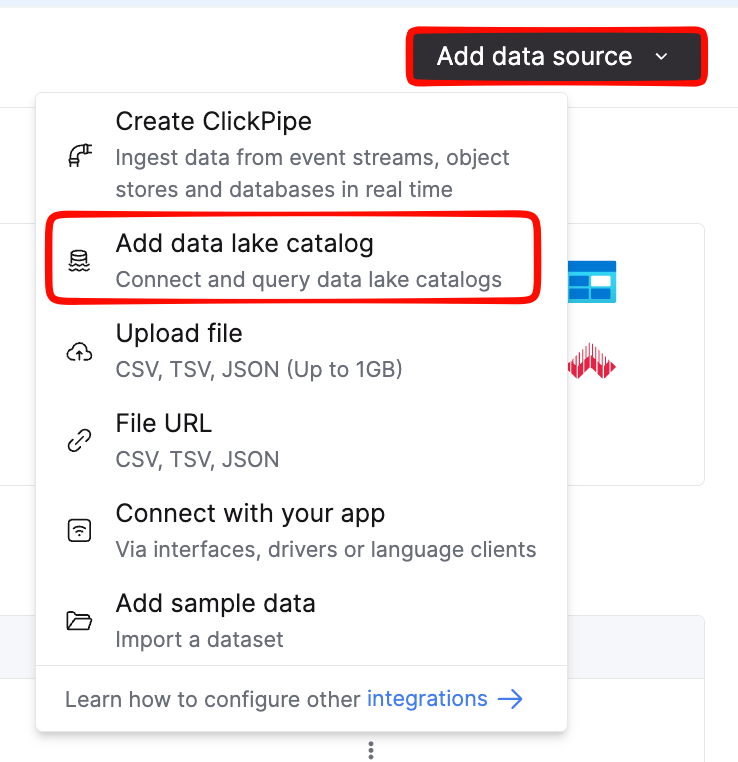
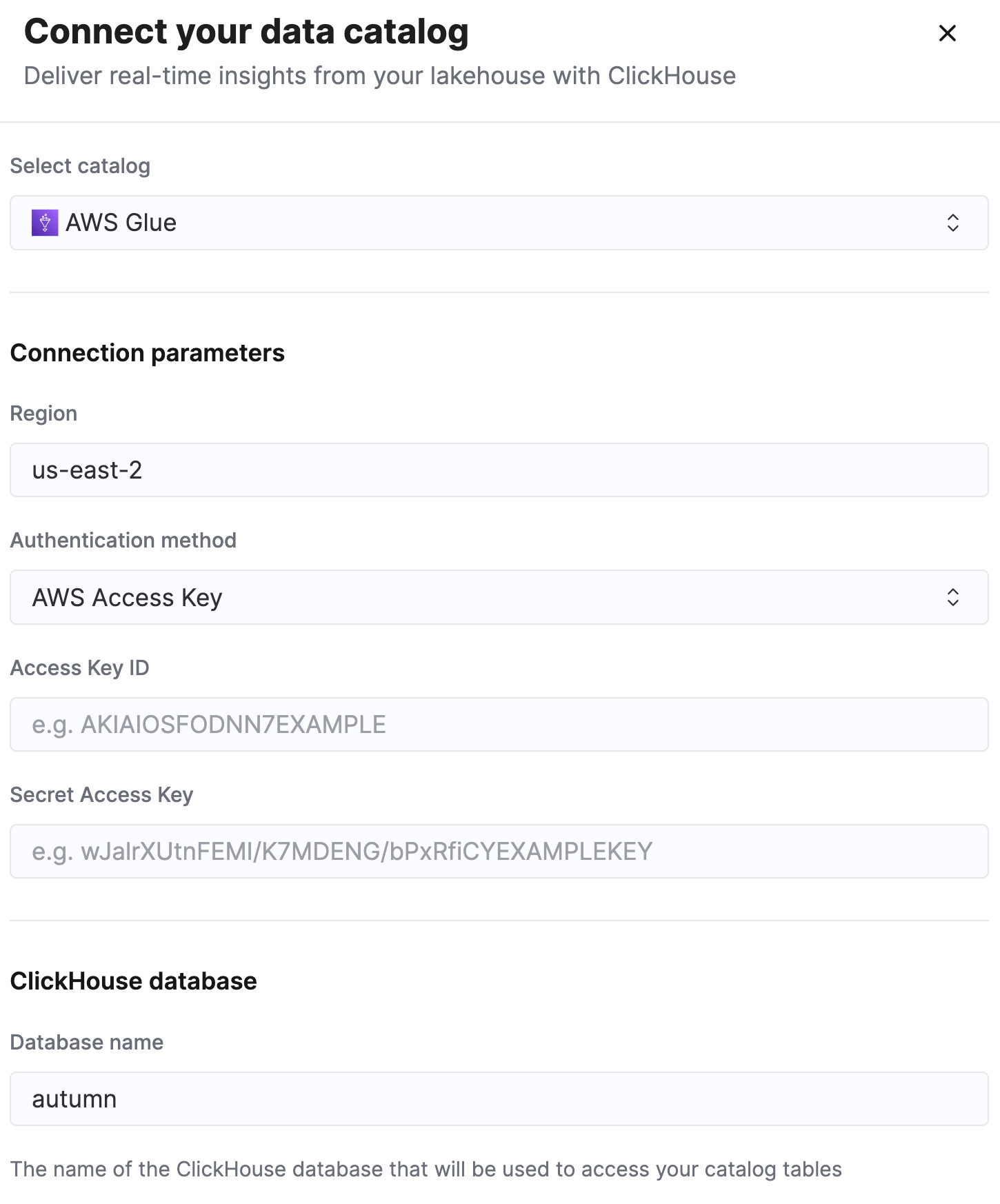
In ClickHouse Cloud, go to **Data Sources → Add → Data Lake Catalog → AWS Glue**.
#### Configure the catalog
Set the **region** to `us-east-2`, then paste the **access key** and **secret** Autumn sent you.
#### Save and browse
Save the connection. The catalog mounts as a database, and your tables appear as `` ``.`.v2_3_
#### Access the dataset
Autumn provisions your Iceberg tables as BigLake external tables in a BigQuery dataset you're granted access to. We share the **project** and **dataset** names with you during onboarding — you don't create the external connection yourself.
#### Verify access
List the dataset to confirm the tables are visible. They appear as `` `..v2_3_
## Test the connection
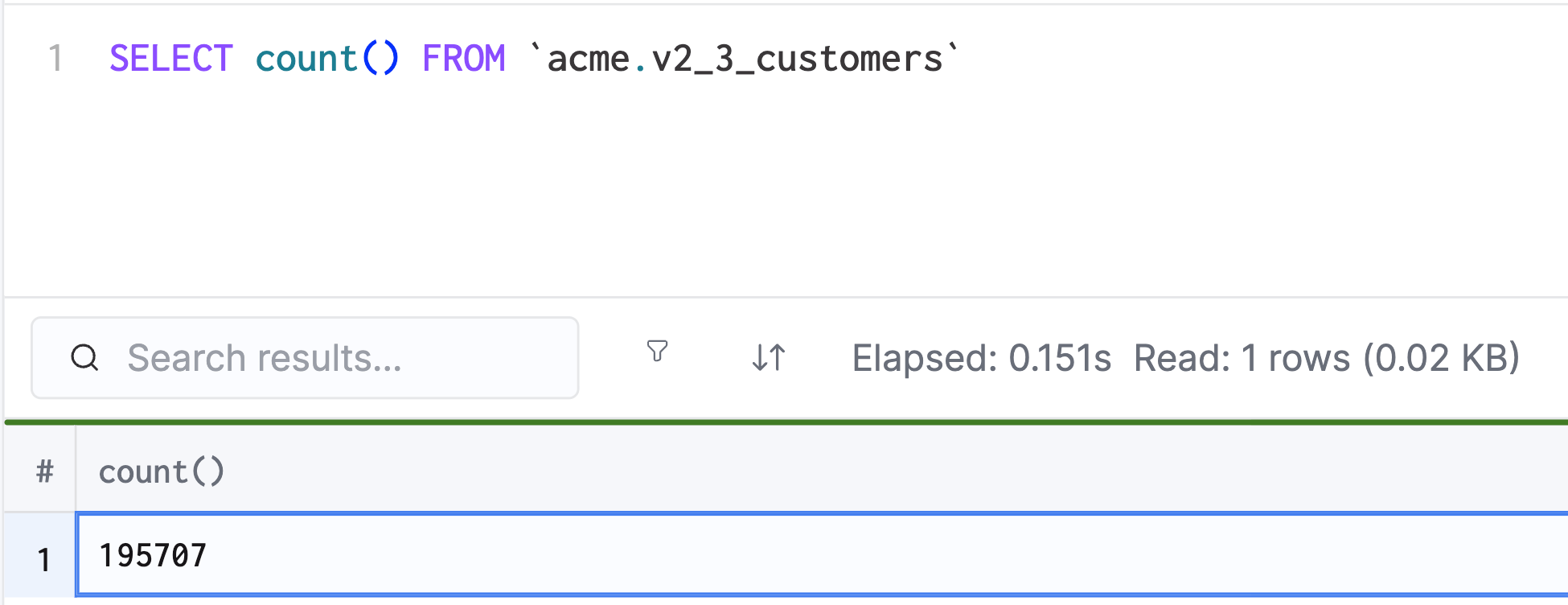
Run a quick count against any table to confirm everything is wired up:
```sql theme={null}
SELECT count() FROM ; -- BigQuery: COUNT(*)
```
Once that returns, head to the [Schema Reference](/documentation/lakehouse/schema) to see what's available, then [Querying](/documentation/lakehouse/querying) for examples.
If you notice the number seems lower than expected, it's because it may take a few minutes to a few hours for your data warehouse to catch up.
 Once that returns, head to the [Schema Reference](/documentation/lakehouse/schema) to see what's available, then [Querying](/documentation/lakehouse/querying) for examples.
If you notice the number seems lower than expected, it's because it may take a few minutes to a few hours for your data warehouse to catch up.
Once that returns, head to the [Schema Reference](/documentation/lakehouse/schema) to see what's available, then [Querying](/documentation/lakehouse/querying) for examples.
If you notice the number seems lower than expected, it's because it may take a few minutes to a few hours for your data warehouse to catch up.